Version 0.2.2 · Downloadable offline tool
Prepare several print ratios from your artwork
Position each crop, confirm the composition and export named JPG files in a ZIP. Download the Free edition to test one image on your own device before choosing Batch. This website is not an online image editor.
Start with one image
Unzip the Free download and open index.html in desktop Chrome or Edge. Try crop-and-resize or whole-image resizing without an account or image upload. Free permits personal or your own commercial work under its included NOTICE; do not redistribute the tool, and make sure you have rights to your images.
Batch edition — US$19 one-time
Version 0.2.2 adds a queue of up to 10 images, a settings-only recipe and optional per-artwork ZIPs inside the export ZIP. Images are processed one at a time; you still position and confirm each image's crops. This is an offline download, not a subscription or hosted service.
Free and Batch compared
| Feature | Free | Batch |
|---|---|---|
| Images | One image at a time | Queue of up to 10 images, processed one at a time |
| Crop ratios | 2:3, 3:4, 4:5, 11:14 and ISO A; portrait or landscape | The same five ratios; portrait or landscape |
| Whole-image resize | Resize by width, height or long edge; preserve proportions | The same resize modes; every export includes output pixel dimensions, while the export report records the shared target settings |
| Output limits | JPG output; no upscaling; no output side above 4096 px | The same output limits; not higher resolution |
| Recipes | Not included | Save and load settings only; no images or crop positions |
| ZIP packaging | One export ZIP with JPG files and an export report | One export ZIP; optionally one ZIP per artwork inside it |
| Where images are processed | Locally in the downloaded tool; no upload | Locally in the downloaded tool; no upload |
| Price | Free download | US$19 one-time purchase through Gumroad |
What the tool does
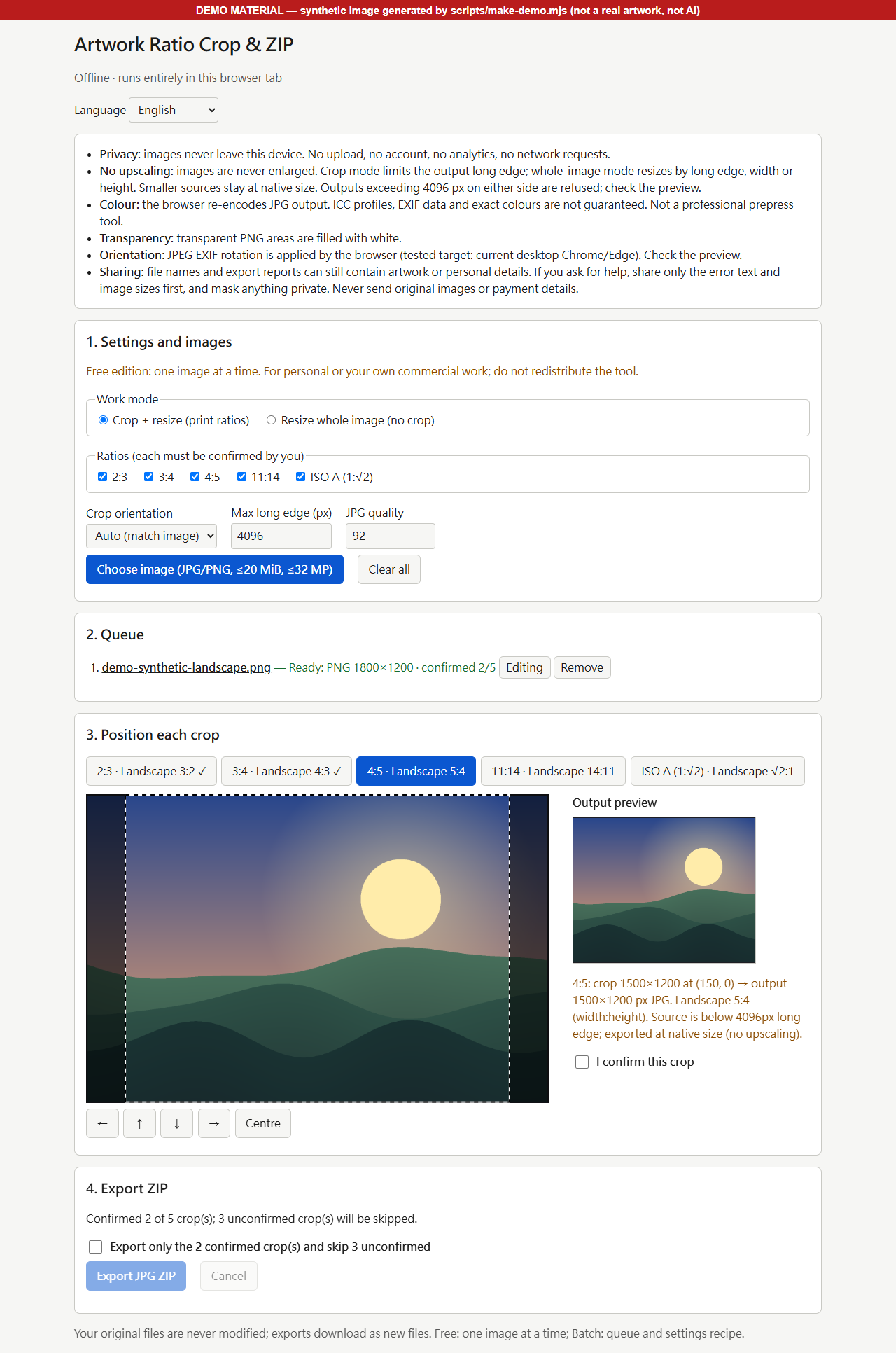
- Crop one artwork to 2:3, 3:4, 4:5, 11:14 and ISO A (1:√2), portrait or landscape.
- You position and confirm every ratio yourself. Unconfirmed crops are skipped only after you explicitly agree; anything skipped or failed is listed in the export report.
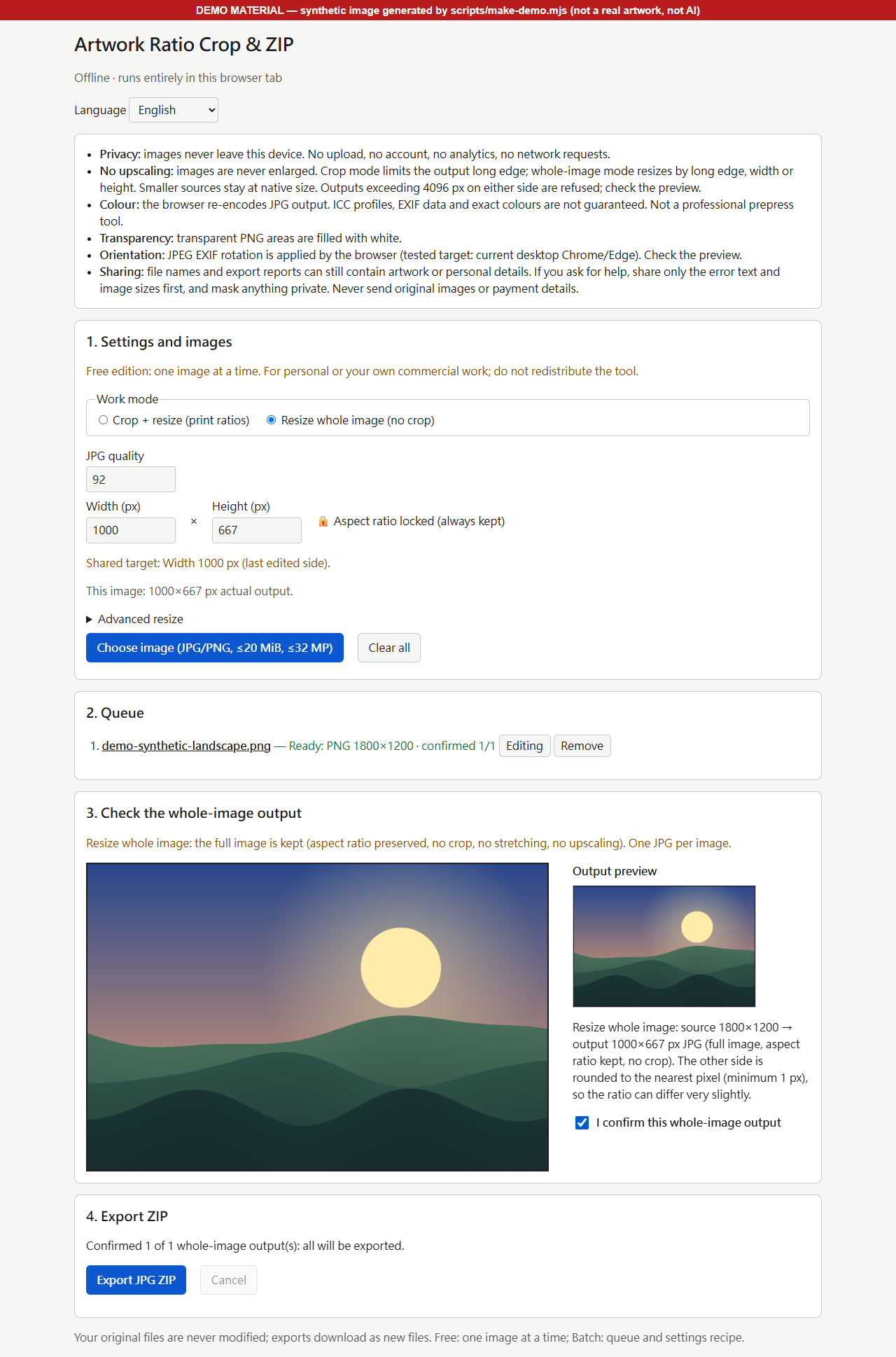
- Or resize the whole image by width, height or long edge: aspect ratio kept, no crop, no stretching.
- Never upscales. Output is at most 4096 px on any side; a smaller source stays at its native size.
- Downloads one ZIP of JPG files named <name>_<ratio>_<width>x<height>.jpg, with an export report.
- The downloaded tool runs offline from a local file in your browser: no upload, no account, no network requests.
- Interface in English, 繁體中文, 简体中文, 日本語, Español and Deutsch (non-English text not yet reviewed by native speakers).
- Batch edition: queue of up to 10 images, settings recipe JSON, and optionally one ZIP per artwork inside the export download. The batch tool is sold separately, not included in this site's free ZIP.
From download to export
Download and open locally
Unzip the tool package and open index.html in current desktop Chrome or Edge. The tool does not require installation, an account or an internet connection to process images.
Choose an image and check each crop
Use a JPG or PNG you have permission to process. Position the crop for each selected ratio and confirm it yourself. For Batch, repeat this for each image; a recipe does not restore crop positions.
Export and inspect
Download the export ZIP, unzip it and inspect the JPG dimensions and export report. Keep your originals. Confirm print requirements with your printer or lab before delivery.
Local tool previews using original synthetic demo artwork
Questions before you download
- Can I use the tool on this website?
- No. This website provides information and a Free ZIP download. Unzip the package and open its local index.html file to use the tool. Downloading requires internet access; image processing does not.
- Does Free let me test the actual cropping workflow?
- Yes. Free processes one image at a time with the same crop ratios, whole-image resizing, confirmation workflow and output limits. Batch adds the image queue, settings recipe and optional per-artwork ZIP packaging, not a larger resolution limit.
- What files and devices are supported?
- The tool's release validation is on Windows desktop Chrome and Edge. macOS and Linux tool use have not been separately validated; mobile is not supported. Input is JPG or PNG, at most 20 MiB and 32 megapixels per file. Output is browser-encoded JPG, with no side above 4096 px and no upscaling.
- Does Batch crop every image automatically?
- No. You choose the crop positions and confirm each image's selected ratios. A recipe stores mode, ratios, sizes, quality, orientation, ZIP packaging and whole-image resize settings; it does not contain images or crop positions.
- Does a ratio guarantee a particular print size?
- No. A ratio describes shape. Print size depends on the exported pixels and chosen PPI. An 11 by 14 inch print at 300 PPI needs 3300 by 4200 pixels, which exceeds the tool's 4096 px limit.
- What are the refund terms?
- You may request a full refund within 30 days of purchase for any reason. No proof of a defect or of non-use is required. Use the seller contact details on your Gumroad receipt. Your statutory rights and Gumroad refunds under its rules and the law are not limited by these terms.
- How do I ask for paid support or a refund?
- Reply to your Gumroad purchase receipt email. Paid support is limited written support for defects in the unmodified official delivery used in current desktop Chrome or Edge, in English or Traditional Chinese. Installation help, print or colour consulting, customization and specific response times are not promised, nor are lifetime updates. Free has no dedicated support channel or guaranteed response. Share error text and image dimensions first, not original artwork or payment details.
- Can I use exported images commercially?
- The included edition NOTICE permits personal or your own commercial work under its terms. You must have rights to the images you process. Do not share, redistribute, sublicense or resell the tool package; third-party software retains its own licence.
- Are all interface translations professionally reviewed?
- No. The tool has six interface languages, but the five non-English translations have not been reviewed by native speakers. English is the reference; native-language support in all six languages is not guaranteed.